File to Markdown Converter for Clean, Structured Output.
Use our file to Markdown converter to turn PDFs, documents, images, speech, and video soundtracks into clean, reviewable Markdown bundles.
Preview up to 5 estimated Credits before signing in. Every job shows its Credit estimate first; failed jobs spend nothing.
PDF, DOCX, PPTX, XLSX, EPUB, Notion ZIP, text, Markdown, JSON, XML, HTML, CSV, image, audio, or video
See real conversion examples+
Proof, not a promise
Inspect real PDF and file-to-Markdown output.
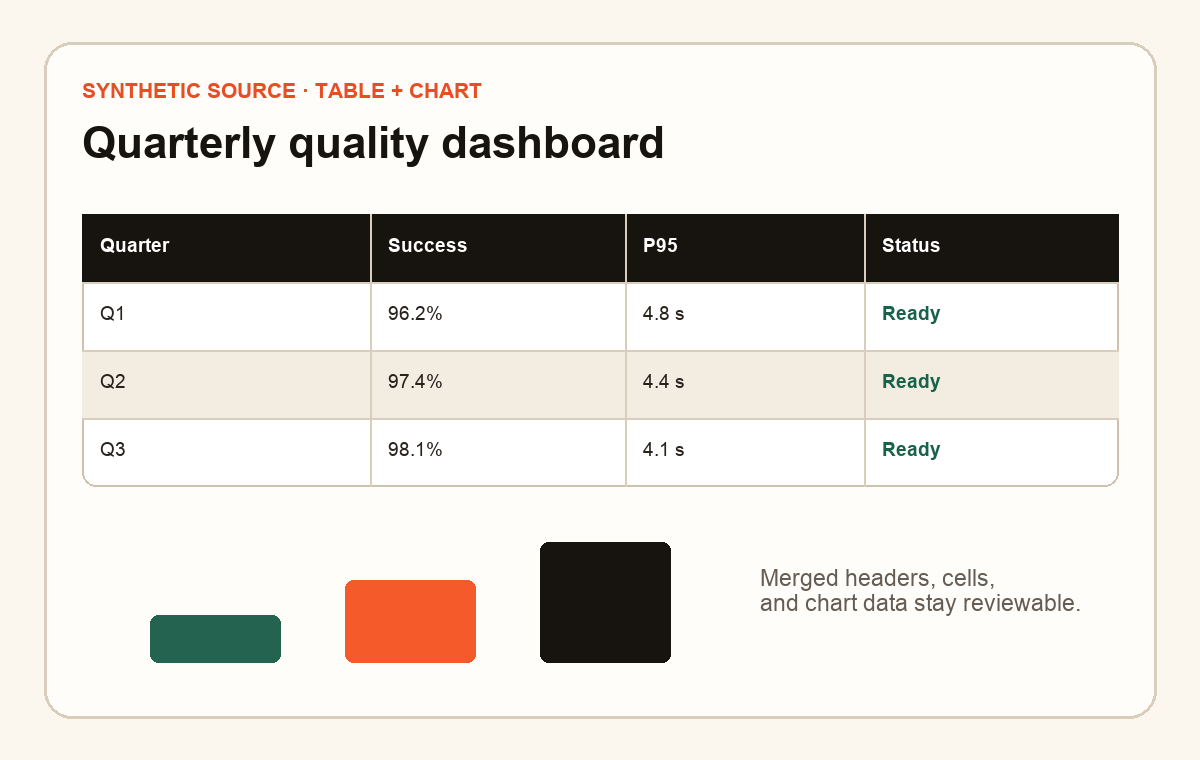
Real converter output from repository-owned synthetic files: original, Markdown, and checksummed Bundle.
01
DOCX · 0.1 Credit
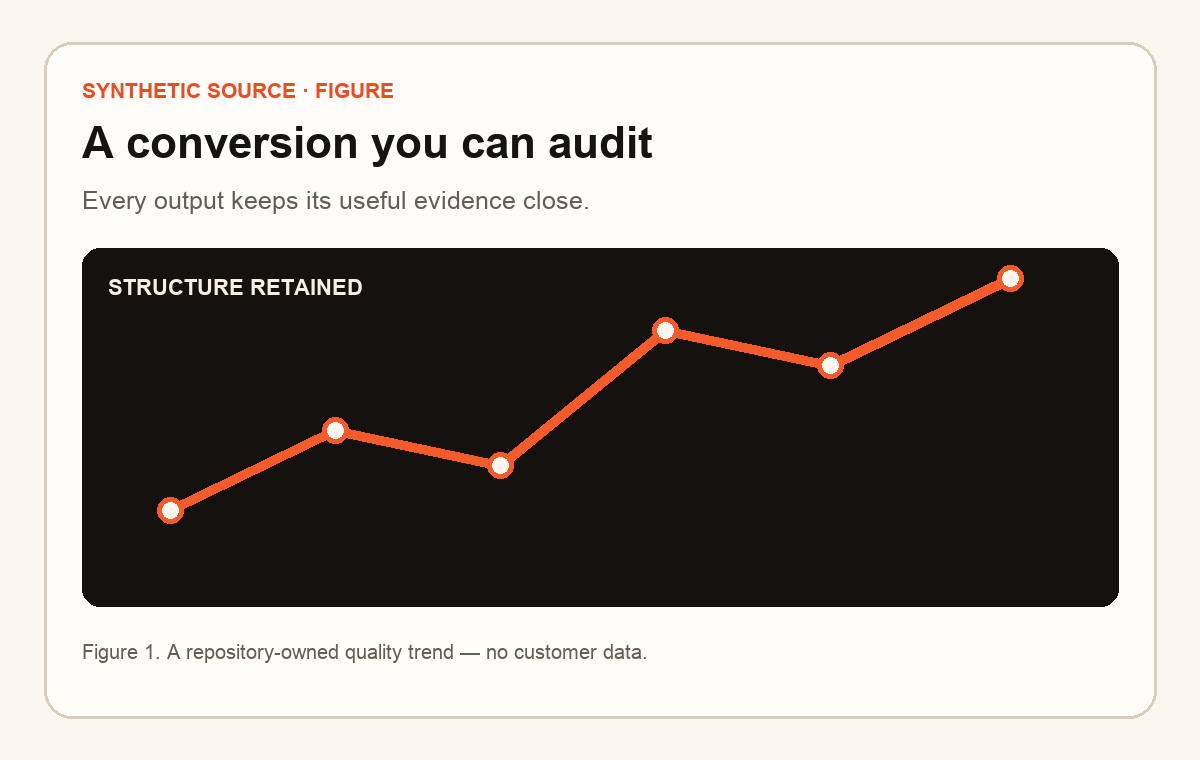
Figures stay portable.
Verified real output
The figure, caption, and relative asset link survive together.
Repository-owned source preview · SHA-256 bound
# A conversion you can audit
Every output keeps its useful evidence close.

Figure 1. A repository-owned quality trend — no customer data.
Copying Markdown copies text and relative links only. Download the verified Bundle to keep every referenced image beside output.md. Verified by committed source and Bundle digests plus build-time semantic checks.
Sign in: Office, text, data, images, EPUB, Notion, public URL, audio, and video audio tracks. Guests can preview supported inputs within the 5-Credit limit; sign in and settle with account Credits to download.
Sign in: XLS and ODS convert like XLSX. RTF, IPYNB, EML, and MSG convert like text.
Video conversion uses the audio track; video frames are not analyzed.
Current production facts and explicit quality boundaries.
Is Markovo's file to Markdown converter free?
Yes. Guests can convert and review two supported file queues per UTC day before signing in, up to 5 estimated Credits. Each guest file is limited to 25 MB and 50 source units. Signed-in Free accounts have a separate 25-source-unit limit. Download requires an account and settles completed work once against account Credits. Free accounts receive 25 Credits monthly, one API key, and five daily files.
Which file types can the File to Markdown Converter handle?
Digital PDF is available to guests. Sign in covers DOCX, PPTX, XLSX, XLS, ODS, CSV, text, HTML, RTF, IPYNB, EML, MSG, images, EPUB, Notion exports, public URLs, audio, and video audio tracks. Guests can preview supported inputs within the 5-Credit limit; sign in and settle with account Credits to download.
What does a Markovo Markdown bundle include?
A completed bundle can include output.md, extracted assets, source_map.json, quality_report.json, metadata, and a checksummed manifest. The exact files depend on the input and conversion route.
Can I convert files to Markdown through an API, CLI, or MCP server?
Yes. Free, Starter, and Pro use one account, Credit balance, capability registry, history, ownership checks, and Bundle across Web, API, CLI, and MCP.
Does the converter support OCR and formulas?
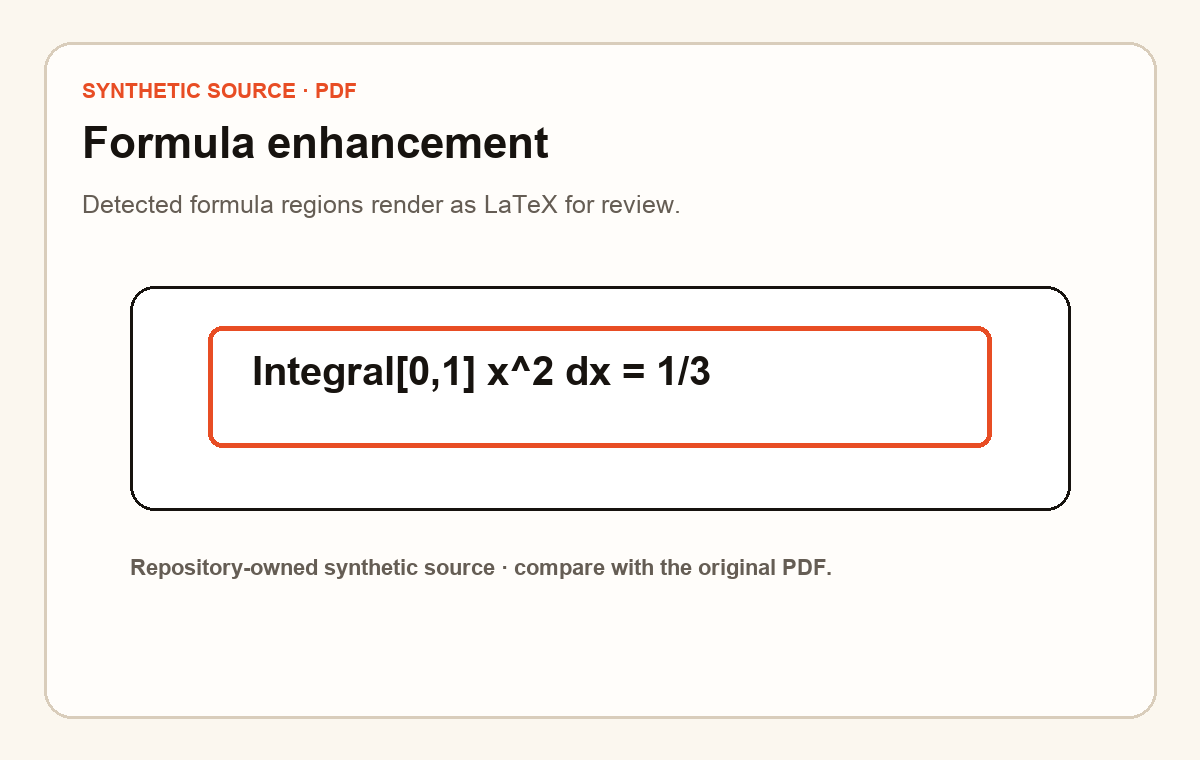
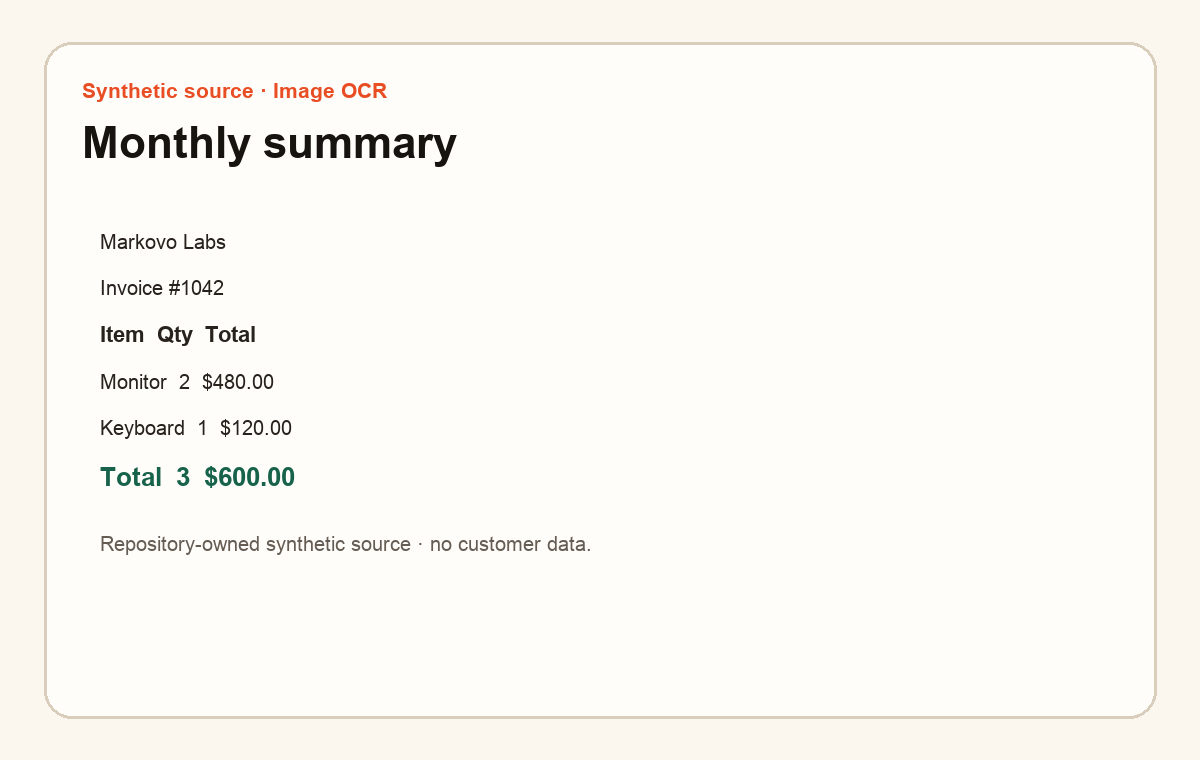
OCR for image-heavy inputs and formula-rich PDFs runs through the standard pipeline and requires review against the source. Digital PDF and ordinary structured text remain the strongest current routes.
How long does Markovo keep uploaded files and results?
Sources are removed after a terminal result. Guest and Free results remain for one hour, Starter for seven days, and Pro for 30 days; users may delete completed jobs sooner. Downloads remain owner-protected.
Where can I learn about PDF to Markdown conversion?
Use the dedicated PDF to Markdown Converter page for PDF-specific handling, source mapping, OCR, formulas, common tables, and API examples.